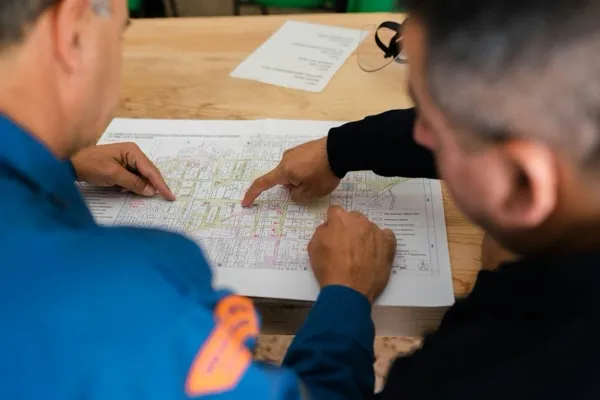

You're wrapping up hour ten on site. Two trades are behind, the concrete pour got pushed to Thursday, and the crew is heading to their trucks. Somewhere in the trailer is the construction project daily report template— a 22-field Excel form that takes 45 minutes to fill out correctly.
So it gets done wrong. Or it gets done tomorrow morning from memory. Or it doesn't get done at all.
The average construction daily report template has 20–25 fields1, and the irony is that more fields don't produce better records— they produce late records. Template complexity is the root cause of non-compliance, not field discipline.
"A daily report only protects margin when it's useful later— when a change order is disputed, when the schedule slips, when a safety incident is reviewed, or when you're proving what happened on a specific date."2
This article does what no template site does: it walks through a standard 20–25 field form field by field, names what to cut and why, delivers a lean six-field version backed by legal defensibility logic, and explains how AI automation can eliminate the tracking fields that remain.
Why Template Complexity Kills Compliance (And What That Costs You)
When a daily report takes more than 12 minutes to complete, it stops getting filed same-day— and that's when it stops being useful. A report filed two days later is a reconstruction, not a record.
The chain of logic is short:
- Complex form → 30–45 minute completion time
- Long completion time → late filing or memory-based reconstruction
- Late or reconstructed reports → legal vulnerability in disputes
Reports requiring 30–45 minutes to complete become consistently delayed, reducing both accuracy and legal credibility2. Field crews filling out a long form at the end of a full shift aren't being undisciplined— they're responding rationally to a bad tool.
A 2020 survey of 540+ construction businesses found that 85% of construction professionals already spend more than 25% of their time tracking and reporting project progress3. Add a 45-minute daily report to that load and the math gets worse. The admin burden is already too high before accounting for forms that never get filed at all.
Give your field team a form they can complete. That's the fix.
What's Actually at Stake When Daily Reports Slip
Construction daily reports are legal documents. When a dispute goes to arbitration or litigation, the first thing attorneys request is the daily log— and a spotty, late-filed log tells the wrong story.
"Courts, arbitrators, and contract administrators treat a report written the day events occurred as far more credible than any reconstruction assembled weeks later."4
Under Federal Rules of Evidence 803(6)— the federal rule that makes daily logs count as legal business records— reports must meet four criteria4:
| Criterion | What Your 45-Minute Form Undermines |
|---|---|
| Created same day events occurred | Filed next morning = no longer same-day |
| Created by on-site personnel with direct knowledge | Memory reconstruction by someone who wasn't there |
| Filed as regular business practice | Inconsistent filing = no "regular practice" to cite |
| No evidence of alteration | Late edits introduce alteration questions |
A contemporaneous record is one created at or near the time of the events, by someone with firsthand knowledge. Criteria 1 and 3 are the ones a 45-minute template actively undermines.
Daily reports show up as decisive evidence in six dispute categories4:
- Delay claims
- Change orders
- Differing site conditions
- OSHA defense
- Payment disputes
- Quality disputes
Always consult your contract requirements and legal counsel for jurisdiction-specific obligations— particularly on federal, Davis-Bacon, or publicly funded projects, which may have additional mandatory documentation requirements.
The Field Audit: What to Keep, What to Cut, What AI Can Handle
The standard construction project daily report template has 20–25 fields1. Six of them are doing most of the legal and operational work. The rest are either contextual add-ons useful for specific project types, or tracking data that AI can generate automatically.
Most daily report templates were designed by whoever assembled the form— not by the superintendent who has to fill it out after a 10-hour shift. That mismatch is the root problem. Here's the full classification:
| Field | Category | Why |
|---|---|---|
| Project ID / date / weather | Essential | Required for legal admissibility; weather affects work pace and delay claims |
| Trades present with headcount by trade | Essential | Identifies who was on site; used in delay and payment disputes |
| Specific work performed (location + quantities) | Essential | "Worked on Building B" fails legally; must be location-referenced and quantified |
| Delays with cause and estimated duration | Essential | Change order and delay claim defense; requires attribution, not just "weather" |
| Photos: 3–10 labeled (location, trade, activity) | Essential | Visual documentation with context; AI can tag automatically on integrated platforms |
| Safety incidents or "no incidents" notation | Essential | OSHA defense; an absent entry equals no documentation equals no defense |
| Materials received | Contextual | Add for projects with supply chain disputes; skip for smaller residential |
| Equipment deployed | Contextual | Add when cost allocation by equipment is tracked |
| Visitor log | Contextual | Add for owner-contract projects; often required by the owner |
| Sub-reports received | Contextual | Add for large GC multi-sub sites |
| Weather data (detailed) | Automatable | AI pulls automatically from weather APIs; no manual entry needed |
| Crew counts from timesheet data | Automatable | Timesheet integrations produce this automatically in digital platforms |
| Photo metadata (date, GPS, work category) | Automatable | AI tagging handles classification without manual input |
| Labor cost summaries | Automatable | Payroll integrations produce this; manual entry creates duplication errors |
A well-designed daily report with six core fields takes an experienced superintendent under 10 minutes to complete2. That's the standard your template should meet.
Note for federal and publicly funded projects: Davis-Bacon and government contracts often require additional fields mandated by contract. The Essential 6 above apply to most commercial projects. Verify against your specific contract requirements.
How AI Changes the Equation for Daily Reporting
AI-powered reporting tools eliminate the parts of the daily report that are slowing your team down— weather pulls, crew counts, photo tagging— leaving the superintendent to review and approve rather than transcribe. Weather data pulls from APIs. Crew counts sync from timesheet integrations. Photos get tagged and filed automatically.
What AI currently handles on integrated platforms5:
- Weather data: Auto-pulled from weather APIs; no manual entry
- Crew counts: Synced from timesheet integrations; headcount by trade without manual tallying
- Photo tagging: AI assigns date, location, work category, and links to related documentation
- Gap detection: AI flags missing fields before the PM reviews, catching incomplete reports before they become problems
In practical terms, a superintendent on an integrated platform arrives at the end of shift to review a partially completed report— not build one from scratch.
The time impact is real. Fieldwire reports users save up to 7.5 hours per week after moving off spreadsheet-based reporting6. In one documented case study on an electrical project, AI-automated daily reporting reduced completion time from 135 minutes to 50 minutes— a 62.96% reduction— while improving accuracy from 72.2% to 95.6%5. One study, one project type. But the direction is consistent across platforms. If you're evaluating the ROI of field technology investments, the six-field template gives you a cleaner baseline to measure from— your manual hours are the denominator.
Think of AI implementation for construction operations as a multiplier on good template design, not a replacement for it. For firms thinking about building an AI-ready culture around digital reporting tools, the lean template is the right place to start. AI reporting is still early-stage in most construction firms— paper and Excel remain common. The lean template design principle applies regardless of your tool stack. You can't automate your way out of a bloated form. You can automate your way to a lean one.
Before you redesign your template, here are the questions that typically come up— answered directly.
FAQ
What should a construction daily report include?
Six core fields: project ID, date, and weather; trades present with headcount by trade; specific work performed with location and quantities; delays with cause and estimated duration; 3–10 labeled photos; and safety incidents or a "no incidents" notation. A well-designed template using these fields takes an experienced superintendent under 10 minutes to complete2.
How long should a construction daily report take to fill out?
Under 12 minutes. If your form takes longer, the template is too complex2. Reports that consistently take 30–45 minutes get filed late or from memory, which undermines their legal value. Time is the signal: if your superintendent is regularly filing the next morning, the form is the problem.
Can construction daily reports be used in court?
Yes. Daily logs qualify as business records under Federal Rules of Evidence 803(6), exempting them from hearsay rules4. To meet the standard, reports must be created same-day, by someone with on-site knowledge, as regular practice, with no evidence of alteration. A report filed from memory two days later does not meet this bar.
What's the difference between a daily report and a daily log?
The terms are used interchangeably in most commercial construction contexts. Some contracts use "daily log" for field-level capture and "daily report" for the compiled or submitted version. What matters legally is consistent, same-day completion— not the label.
Do subcontractors need to file their own daily reports?
On large commercial projects, subcontractors typically submit their own daily field reports7. On smaller projects, the GC superintendent often captures all trades in a single report. Your contract and project complexity typically determine which model applies.
Six Fields, Every Day
A construction daily report's job: document what matters, every day, in a form that holds up when it counts.
A 25-field form that gets filed three days late doesn't protect you. A six-field form that gets filed every day does.
Start by auditing your current template against the Essential 6 above. Cut anything that falls outside Essential or necessary Contextual. If you're also evaluating AI workflow automation for your reporting process, the lean template design gives you a cleaner system to build from— you're not automating bloat.
Your superintendent shouldn't be chasing paperwork at the end of a 10-hour shift. The form should be the easy part.
References
- AllThingsConstructionPM, "Construction Daily Report Template (Free Excel + PDF)"— https://allthingsconstructionpm.com/construction-daily-report-template/
- ConDoc, "Daily Reports That Actually Protect Margin— Without Admin Overload"— https://condoc.com/daily-reports-that-actually-protect-margin-without-admin-overload/
- Levelset, "2020 Report: Construction Suffers From Wasted Time & Slow Payment" (2020)— https://www.levelset.com/blog/2020-report-construction-wasted-time-slow-payment/
- BuildLog, "How Daily Logs Become Legal Evidence in Construction Disputes" (2026)— https://buildlogapp.com/blog/daily-logs-construction-disputes-evidence.html
- Datagrid, "AI Revolution: Automating Daily Construction Reports"— https://datagrid.com/blog/ai-agents-automatically-generates-daily-construction-reports
- Fieldwire by Hilti, "Construction Daily Report Form in Excel: Hidden Costs and Risks"— https://www.fieldwire.com/blog/construction-daily-report-form-excel/
- Procore, "Construction Daily Reports: What to Include & Best Practices"— https://www.procore.com/library/construction-daily-reports