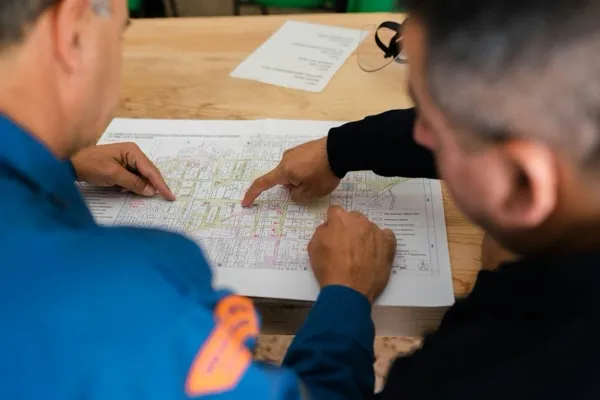

Your project is nearly complete. Subs are wrapping their last work. The owner walk is three weeks out. And your punch list— if you've been tracking items at all— is a 200-entry document where half the items have no owner, no deadline, and no particular urgency to close before the formal walkthrough.
A construction punch list template is a structured document listing incomplete or defective work that must be corrected before final payment.1 Every item on it represents locked cash. Standard retainage runs 5–10% of total contract value, and on a $5 million project at 10%, that's $500,000 the general contractor cannot access until the list clears.2 The final payment can represent a contractor's entire profit margin, if not more.3
Most punch list templates just capture items. A well-designed one drives closure. The difference is in how each field is built— and that design decision is what this article covers.
"A 300-item punch list is a symptom of a documentation failure, not a closeout failure— issues lived in someone's head, in a text thread, or in a spreadsheet."4
The question isn't whether to use a construction punch list template. The question is which fields you include, and how you design them to create accountability pressure from the moment an item is entered.
What a Construction Punch List Template Must Include
Every construction punch list template needs nine core fields: item number, description, exact location, responsible subcontractor, priority level, due date, status, photo documentation, and a verification sign-off. Each field is a closure mechanism— remove one and you've removed accountability for that dimension of the item.
- Item number— Sequential reference for tracking and communication
- Description— Specific enough that the sub knows exactly what "fix" means (not "paint touch-up"— "scuff mark at SE corner of master bedroom door frame, approximately 3 inches")
- Exact location— Floor, room, grid coordinate; not just "bathroom"
- Responsible subcontractor— Named individual or company, never just "subs"
- Priority level— Safety/Code, Functional, or Cosmetic
- Due date— Specific calendar date, not "ASAP"
- Status— Open / In Progress / Awaiting Verification / Closed
- Photo documentation— Attached image of the deficiency as logged
- Verification sign-off— GC inspector, architect, or owner initials confirming closure
Standard template resources cover most of these fields.5 Professional platforms extend the template with structured photo capture and automated verification workflows.6 The photo documentation field and the sign-off field are the two most commonly omitted— and both are the ones that prevent payment disputes.
Punch list items fall into five main categories:
| Category | Examples |
|---|---|
| Finishes and surfaces | Paint, flooring, tile, caulk, trim |
| Installations | Fixtures, hardware, millwork, cabinetry |
| Equipment and MEP | Mechanical, electrical, plumbing items |
| Safety and code | Fire protection, ADA compliance, egress hardware |
| Documentation | As-builts, warranties, O&M manuals, lien waivers |
Safety and code items get resolved first. Always. Sequencing anything else ahead of a code item is how a project fails final inspection.
How Each Field Drives Closure (Accountability Architecture)
The difference between a punch list that closes and one that stalls is field design. An item without a named owner won't close. An item without a due date won't get scheduled. An item without a priority level won't get sequenced.
Think of each field as an input; closure is the output. The template is the accountability architecture, not just the data capture form. As your process matures, connecting it to digital tracking tools for project quality becomes the natural next step— but the field design has to come first.
| Field | Closure Function | What Breaks Without It |
|---|---|---|
| Named subcontractor | Single point of ownership | Diffusion of responsibility— everyone assumes someone else will act |
| Specific due date | Items get calendared and scheduled | Items float indefinitely; "ASAP" means never |
| Priority level | Enables trade sequencing | Safety items get buried under cosmetic work |
| Status lifecycle | Surfaces items stuck in one state | Open items stay invisible until the owner walk |
| Photo documentation | Proof of deficiency prevents dispute | Sub says it was like that before; no way to verify |
| Verification sign-off | Formal closure gate | Items "close" on paper, reopen during inspection |
The cost of leaving these fields out is not abstract. Addressing punch items after construction is complete typically costs significantly more than catching the same issue during construction— remobilization, trade coordination, and schedule compression all compound.4 Companies with consistent QA/QC processes keep rework under 5% at a 56% rate, compared to 37% of firms without quality standards.7
"Every field on a well-designed punch list template is a closure mechanism. Remove the named owner and you've created a diffusion-of-responsibility problem. Remove the due date and you've made it optional."
The Rolling Punch List: Start Before Substantial Completion
A rolling punch list is a continuously updated document that captures deficiencies throughout construction, not only at project end.1 Experienced superintendents maintain it from day one; by the time substantial completion arrives— the legal project status that triggers the formal punch list walkthrough2— most items are already resolved.
The traditional approach creates a sprint. The rolling approach creates a practice.
| Approach | When Items Are Captured | Typical End-of-Project Volume | Who Manages |
|---|---|---|---|
| Traditional (single walkthrough) | End of project only | 100–300+ items at formal walkthrough (practitioners report) | GC + owner at formal walk |
| Rolling punch list | Continuously from day one | Significantly fewer by substantial completion (practitioners report) | Superintendent on daily or weekly rounds |
Subcontractors receive notifications in real time when items are logged against their work— corrections happen in context, while the right trade is still on site and the work is still fresh.8 By the time the formal owner walkthrough happens, the rolling list has already filtered what the owner sees.
The aspirational state is a zero punch list at completion— using continuous inspections so the formal list at handoff is near-zero.8 Not every project gets there. But rolling list projects get materially closer than projects that don't.
The Pre-Punch Walkthrough: Your Dress Rehearsal
A pre-punch walkthrough is an internal GC inspection— typically 2–3 weeks before the formal owner walkthrough— that identifies and resolves items before the client sees them.4 Experienced GCs treat it as standard practice, not optional.
The formal owner walk is opening night. You don't discover the blocking problems then.
A standard pre-punch walkthrough runs in four steps:
- Superintendent + key trade leads walk the full project scope; architect is typically not present at this stage
- All outstanding rolling list items are reviewed and status updated; items not on the rolling list are added now
- Regression failures are flagged— finishes that were complete but were damaged by a later trade (a protected floor that got cracked during rough MEP work)
- Output: updated punch list template with all pre-punch findings assigned, prioritized, and due-dated before the owner arrives
Field experience consistently points the same direction: GCs who run pre-punch walks arrive at the owner walkthrough with a materially shorter list— fewer surprises, fewer relationship-damaging discoveries, faster retainage release.9
How to Sequence Punch List Repairs for Fast Closeout
Repair sequencing determines closeout speed. Work from structural deficiencies to mechanical/electrical/plumbing (MEP) to finishes to paint to cleaning— in that order.4 Skip the sequence and you redo work.
- Structural deficiencies— doors that won't latch, floors that flex, walls that aren't plumb
- MEP items— plumbing fixtures, HVAC balancing, electrical panel labeling, control systems
- Finishes— flooring, cabinetry, tile, trim, millwork
- Paint touch-ups— last finish applied, after everything behind it is complete
- Cleaning— final clean only after all dust-generating trades are done
The same logic that governs construction sequencing governs punch list closeout. Painting before MEP access is closed means a repaint. Cleaning before finishes are complete means a re-clean. The 2–5x cost of post-completion rework is largely a sequencing failure.4
Some items can resolve in parallel when different trades work separate areas of a large project. That's a coordination call between supers— not a reason to abandon the sequence.
Excel vs. Construction Punch List Software: When to Upgrade
For smaller projects— residential construction, single-trade renovations, jobs under roughly 100 items— a well-designed Excel or Google Sheets template works. When projects involve multiple trades, remote stakeholders, photo documentation requirements, or audit trail needs, dedicated software earns its cost.
Most GCs reach for punch list software before their process is reliable, then blame the software. The template is how you make the process reliable first.
These thresholds reflect common practitioner patterns— adjust based on your project complexity and stakeholder requirements.
| When Excel Is Enough | When to Upgrade to Software |
|---|---|
| Single-trade or residential projects | Multi-trade commercial projects |
| Under ~100 punch list items | More than ~100 items |
| Local teams, in-person coordination | Remote stakeholders or ownership groups |
| No formal audit trail required | Lien risk or dispute history requires documentation |
| Projects under $1M | Projects $1M+ or involving owner representatives |
79% of building contractors now use software to gather data and handle project information.10 Software adoption is the norm, not the exception. But the tool works only when the process works first— being tool-agnostic with a solid process is more valuable than mastering any specific platform.
Named platforms that fit different project scales: Procore, Fieldwire, Constructable, Buildertrend. Getting your team to adopt new tools requires as much process design as the tool itself— the software doesn't fix a broken template, it automates it.
How AI Is Entering Construction Punch List Management
AI is entering punch list management through computer vision and voice-to-text field capture— allowing superintendents to document items by photo or spoken description rather than manual data entry. For firms already running digital project data management, AI is the next layer on top of that foundation.
Current AI applications in punch list management include:
- Computer vision deficiency detection— reviewing site photos automatically to flag deviations from expected conditions
- Voice-to-text item capture— field entry by spoken description, item auto-categorized and assigned
- Automated assignment routing— items routed to the right trade based on location and work type
- Real-time owner reporting— closure progress dashboards accessible without requiring manual status updates
In practical terms: a superintendent using voice capture in the field speaks the deficiency, the platform transcribes and routes it to the right trade— the item is logged before they move to the next room.
AI in punch list management is still augmentation, not automation. The superintendent's field judgment about what constitutes a deficiency is still the irreplaceable input. You can't automate what you can't first do reliably by hand.
For a fuller look at how AI tools layer onto project management workflows, see our guide to AI workflow automation. If evaluating which tools are worth the investment for your firm's project scale, an AI implementation partner can map the right solution to your specific workflows without prescribing a platform you don't need.
FAQ
What is a construction punch list?
A construction punch list is a document listing incomplete or defective work that must be corrected before the owner accepts the project and the contractor receives final payment.1 In the UK and internationally, it is called a "snag list." The term originates from the historical practice of punching holes in the document margin next to completed items.
What should be included in a punch list template?
A complete construction punch list template includes nine fields: item number, description, exact location, responsible subcontractor, priority level, due date, status, photo documentation, and a verification sign-off.5 Each field creates accountability for closure. Templates that omit photo documentation and the sign-off field lose the ability to close disputes and formally confirm item completion.
What is retainage in construction?
Retainage is a percentage of contract value— typically 5–10%— withheld by the owner until the punch list is resolved and final completion is certified.2 On a $5 million project at 10%, that is $500,000 the contractor cannot access until every item closes. State laws are increasingly capping retainage at 5% for private projects— New York capped it for contracts over $150K in 2025, Mississippi in 2024— so verify current law for your state.2
What is a rolling punch list?
A rolling punch list is updated continuously throughout the project rather than only at project end.1 Superintendents capture deficiencies as they occur; by substantial completion, most items are already resolved. This approach prevents the item pileup that slows final closeout and strains owner relationships at handoff.
What is a pre-punch walkthrough?
A pre-punch walkthrough is an internal GC inspection— typically 2–3 weeks before the formal owner walkthrough— that identifies and resolves deficiencies before the client inspection.4 The GC superintendent and key trade leads walk the full project scope; anything they catch gets added to the punch list, assigned, and due-dated before the owner arrives. It is standard practice among experienced general contractors.
What Makes the List Close
A construction punch list template that closes items doesn't happen by accident. It starts with the right fields, continues with a rolling process throughout the project, and gets reinforced by an internal pre-punch before the owner ever walks the job.
Every design decision in your template either creates or removes closure pressure. An item without a named owner is a blinking cursor— nothing happens until someone takes ownership and gives it a deadline.
If your firm is evaluating punch list processes or digital tools, the starting point isn't which software to buy. It's whether your current template has the fields that make accountability unavoidable.
References
- Wikipedia, "Punch list" (2024)— https://en.wikipedia.org/wiki/Punch_list
- Built Technologies, "What Is Retainage in Construction? How It Works, State Laws, and More" (2025)— https://getbuilt.com/blog/what-is-retainage-in-construction/
- Levelset, "Free Punch List Templates for Construction" (2024)— https://www.levelset.com/blog/free-punch-list-templates/
- OpenSpace, "What is a construction punch list & why does it matter?" (2025)— https://www.openspace.ai/blog/construction-punch-lists-guide-project-closeout/
- Smartsheet, "Construction Punch List Templates: Free & Customizable" (2024)— https://www.smartsheet.com/content/construction-punch-list-templates
- Procore, "Punch List Template" (2025)— https://www.procore.com/library/punch-list-template
- PlanRadar, "Cost of Rework in Construction: Causes, Data & Prevention" (2025)— https://www.planradar.com/us/cost-of-rework-construction/
- Fieldwire, "What Is a Punch List in Construction: Best Practices" (2024)— https://www.fieldwire.com/blog/what-is-a-punch-list-best-practices/
- Constructable, "Punch Lists in Construction: Close Out Projects Without the Usual Delays" (2025)— https://constructable.ai/blog/construction-punch-lists-avoid-delays
- G2 Construction Statistics cited via Monday.com, "Construction Punch List Guide" (2025)— https://monday.com/blog/project-management/construction-punch-list/