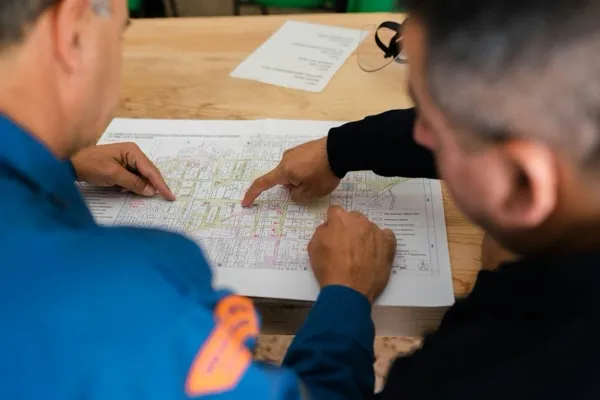

Your superintendent just wrapped a ten-hour day on the jobsite. Forty-five minutes of it went to writing the daily log. Another block went to tracking subcontractor certifications, following up on RFIs, and reviewing photos from the morning safety walk. The field leadership that only they can provide— reading the site, moving trades, catching problems before they compound— happened in whatever was left.
The duties of a construction superintendent cover scheduling, safety enforcement, quality control, daily documentation, trade coordination, and stakeholder communication. Depending on how much of that work is still done by hand, roughly a third of the role's time goes to tasks AI tools can handle today.
Here's the math. And the number compounds fast. A superintendent earning the national average of $95,168 per year1, with the industry benchmark of 35% of their time going to non-productive activities2, represents roughly $33,000 annually in time that isn't going toward field leadership. Across the U.S. construction industry, that administrative drag accounts for $177.5 billion in lost labor costs2.
This article covers what the role requires. Then it shows what each duty looks like when AI handles the administrative layer.
The Six Core Duties of a Construction Superintendent
A construction superintendent is the on-site authority responsible for daily execution across six core areas: scheduling and lookahead planning, safety enforcement, quality control, daily documentation, trade coordination, and stakeholder communication3.
The role breaks into six core areas. Each one matters— and most will change when AI enters the workflow.
1. Scheduling and Lookahead Planning
The superintendent maintains a 3-week rolling lookahead schedule— sequencing trades, managing material deliveries, and catching conflicts before they cascade. When a concrete crew runs late, it's the superintendent who resequences the next three weeks of work. Not the project manager.
2. Safety Enforcement
Every day starts with an OSHA-compliant site walk. The superintendent identifies hazards, runs toolbox talks with crews, documents near-misses, and tracks subcontractor certifications. On larger builds, this alone takes two or three hours before any other work begins.
3. Quality Control
The superintendent inspects work against plans and specifications, signs off on completed phases, and catches spec deviations before they become rework. Errors found late cost three to five times as much to fix.
4. Daily Documentation
Daily logs record weather, crew counts, equipment status, progress by trade, site photos, and any incidents or RFIs (requests for information— formal documentation of questions to the design team). On a busy jobsite, this runs 30 to 60 minutes every day, sometimes more.
5. Trade Coordination
The superintendent sequences subcontractors, manages shared space, and resolves conflicts when trades step on each other. A masonry crew and a mechanical crew can't both occupy the same floor at the same time. Someone has to make that call— and it's not a software algorithm.
6. Stakeholder Communication
OAC (owner-architect-contractor) meetings, owner walkthroughs, inspector coordination, daily updates to the project manager— the superintendent is the primary on-site voice of the GC. On larger projects, there may be as many as 19 superintendents coordinating across work zones3.
The superintendent manages on-site execution: crews, trades, safety, and daily operations. The project manager manages contracts, budgets, and client relationships. Both roles are typically present on the same project— and neither one substitutes for the other.3
That's the full scope of what the role carries. Here's where the time leaks.
The Admin Burden That Eats the Role
That's what the role requires. Here's where the time goes— and where AI is entering the picture.
Construction workers spend approximately 35% of their working time— about 14 hours per week— on non-productive activities including searching for project data, conflict resolution, and rework management2. The documentation burden that falls specifically on field supervisors represents a significant share of that total.
That time breaks down this way:
| Activity | Hours/Week | AI-Addressable? |
|---|---|---|
| Searching for project data | ~5.5 hrs | ✓ Yes |
| Conflict resolution support | ~5 hrs | Partially |
| Rework management | ~4 hrs | Partially |
| Daily log documentation | Significant share of above | ✓ Yes |
And the costs compound beyond the time lost. 48% of construction rework stems from poor communication and project data issues2— the exact problems that live inside the superintendent's documentation and coordination duties.
The adoption gap is real. 87% of contractors predict AI will meaningfully impact construction, but only 19% have adapted their workflows to incorporate it5. The firms that moved are already seeing what's possible: 46% of early AI adopters in AEC saved 500 to 1,000 hours annually— roughly two to four full-time equivalent positions worth of capacity, recovered through automation6.
Those aren't rounding errors. That's what it looks like when documentation stops being a manual job.
The AI-Rewritten Duty List
Here's what the same six duties look like when AI carries the paper trail.
AI construction tools are now automating three of the superintendent's most time-consuming duties: drafting daily logs, scanning site photos for safety hazards, and monitoring compliance documentation expiry— while the superintendent retains full authority over the field judgments those systems surface.
| Duty | Traditional Execution | AI-Enabled Execution | Live Tool |
|---|---|---|---|
| Daily Documentation | 30–60 min/day entering progress notes, photos, crew counts by hand | AI ingests photos, emails, voice notes; auto-drafts log; prompts for missing entries; super reviews and approves | Procore Daily Log Agent |
| Safety Enforcement | Manual site walk + handwritten hazard notes; certification tracking in spreadsheets | Computer vision scans site images for hazards in real time; AI tracks certification expiry and alerts before documents lapse | Procore AI; Autodesk Construction IQ |
| Scheduling & Lookahead | Superintendent manually updates lookahead; catches cascading delays after they start | AI analyzes past project patterns to improve sequencing; flags inspection delays and suggests rescheduling | Autodesk Construction IQ; Procore Scheduling |
| Quality Control | Manual inspection walks; spec-check against printed plans | 360° photo documentation of site progress; AI compares as-built conditions against model; flags deviations for review | OpenSpace; Autodesk Construction Cloud |
| Trade Coordination | Phone calls, radio, on-site conversations | Scheduling AI helps sequence; conflict resolution when subs collide remains superintendent's call | AI supports; human decides |
Daily Documentation → AI-Assisted
Procore's Daily Log Agent4 ingests photos, emails, and voice notes from the jobsite and auto-drafts the daily log for superintendent review. As Procore describes it: "Agentic AI can combine reasoning plus its power of data capture to support and streamline the jobsite superintendent's daily log duties."7 What was a 45-minute end-of-day task can become a five-minute approval on a typical project— the superintendent reviews and signs off rather than assembling the log from scratch.
Safety Enforcement → AI-Assisted
Computer vision scans site images for safety hazards in real time. AI compliance monitoring tracks certification expiry and sends alerts before documents lapse7. This means the superintendent shows up to the safety walk already knowing which trades have certifications expiring this week— not discovering it after a lapse creates a liability.
Scheduling → The Largest Untapped Gain
Only 16% of contractors currently use AI or automation for scheduling8. But Deloitte analysis found that AI-optimized scheduling cuts project time by 10–15%, with field layout compressed from five days to one day in some applications9. Those results come from firms with sufficient historical project data for the AI to learn from— a ramp period is expected for firms building that foundation. The AI tools already in use across construction include Autodesk Construction IQ, which analyzes past project patterns to improve sequencing and flags inspection delays before they cascade. That's a meaningful gap between what's available and what firms are deploying.
Quality Control → AI-Assisted
OpenSpace provides 360° reality capture for site progress documentation. AI compares as-built conditions against the model and flags deviations for superintendent review. The inspection walk doesn't disappear— the superintendent just shows up knowing exactly what to look at.
A note on how these tools work: Understanding what an AI agent does before selecting a platform matters. Understanding the category of software you're buying matters. These tools take action on your behalf— drafting, flagging, alerting— not just answering questions. That's a different kind of platform than most firms have evaluated before.
Most AEC firms shopping for a construction AI tool should document what their superintendents do before buying anything. The failure isn't in the tool— it's in automating a process that was never clearly defined. That's the pattern I see consistently: the firms that deploy AI in field operations successfully are the ones who mapped their superintendent's actual time allocation before they opened a vendor demo.
What AI Cannot Do on a Jobsite
Not everything on the list transfers to AI. Knowing the boundary is as important as knowing the tools.
AI cannot replace a construction superintendent. The core of the role— field leadership, trade conflict resolution, real-time problem-solving under site conditions, and relationship management with owners and inspectors— requires irreplaceable human judgment.
What stays human:
- Trade conflict resolution. When a sub runs three days late and three other trades are queued behind them, the superintendent negotiates, redirects, and keeps trust intact. AI can flag the conflict; it cannot manage the people.
- Crew leadership. A crew that trusts its superintendent outperforms one that doesn't. That trust is built through presence, consistency, and accountability— none of which AI can manufacture.
- Real-time site judgment. When a concrete pour behaves differently than expected, or weather shifts the day's plan, the superintendent adapts using experience and situational awareness. Site conditions change hourly.
- Owner and inspector relationships. The superintendent is the face of the GC on-site. Their credibility with inspectors and owners is earned over years, project by project.
As Procore notes, "Superintendents who refuse to learn to use technology risk being left behind in the industry."3 But the technology doesn't replace the superintendent— it clears the deck so the superintendent can do the work that matters.
Building AI-ready teams in construction starts here. The goal is a superintendent who spends more of their day on field leadership, not one who spends their day reviewing AI output. AI handles the documentation. The person handles the project.
FAQ— Common Questions About AI for Construction Superintendents
If you're ready to act, skip to the final section. These are the questions most AEC firms work through before they start.
What does a construction superintendent do every day?
The superintendent's day typically runs from pre-dawn site setup through end-of-day documentation. Morning priorities: safety briefings, site hazard inspections, and subcontractor coordination. Midday: quality control walks, RFI management, delivery confirmations, and OAC meeting attendance. End of day: daily log completion and planning for the next morning3. On larger projects, there may be multiple supers dividing these duties across work zones.
How is a superintendent different from a project manager?
The superintendent manages on-site execution— crews, trades, safety, and daily operations. The project manager manages contracts, budgets, and client relationships. Both roles are typically present on the same project3. The superintendent is the GC's face on the ground; the project manager is the GC's face at the table. Neither role substitutes for the other.
What AI tools do construction superintendents use?
Three platforms lead the field for superintendent-relevant functions today. Procore's Daily Log Agent4 auto-drafts daily logs from photos, emails, and voice notes. Autodesk Construction IQ applies machine learning to identify high-risk items and scheduling patterns. OpenSpace provides 360° reality capture for progress documentation. These are commercially deployed tools— firms can implement them now, not in two years.
Can AI replace a construction superintendent?
No. The core of the role— field leadership, trade conflict resolution, and real-time judgment under site conditions— requires human expertise that AI cannot replicate. AI handles documentation and monitoring tasks, freeing the superintendent to focus on these irreplaceable functions. The role changes. It doesn't disappear.
How much time can AI save a construction superintendent?
Early AI adopters in AEC saved 500 to 1,000 hours annually6. Given that the industry benchmark puts construction workers at roughly 35% of their time on non-productive activities2, AI tools targeting documentation and compliance monitoring are the primary lever for time recovery. For a superintendent at $46/hour1, 500 recovered hours redirects $23,000 worth of time back toward field leadership.
How AEC Firms Are Getting Started With AI for Field Operations
AEC firms that have successfully deployed AI for superintendent functions share one pattern: they documented what their superintendents do before selecting a tool, not after.
Only 27% of AEC firms currently use AI for automation, problem-solving, or decision-making10. The firms that have moved— and the ones seeing returns— started with a process map, not a product demo. Here's what that looks like:
- Document first, tool second. Map where superintendent time goes— daily log minutes, safety walk documentation, RFI tracking— before selecting a platform. You can't automate what you haven't defined.
- Start with daily logs. Lowest risk, highest time return. Procore's Daily Log Agent requires existing Procore usage; Autodesk tools require their construction cloud. Start where you already have data infrastructure.
- Plan for change management. Tools require buy-in from supers. Adoption doesn't happen because the technology is live. The AI workflow automation that stalls almost always stalls on the people side, not the technology side.
- Build an AI implementation strategy before you build a tool stack. Deploying AI into field operations without a clear strategy for what you're optimizing creates more complexity, not less.
The firms that succeed on this aren't the ones with the biggest tool budget. They're the ones who defined the problem clearly enough that the tool selection was obvious.
If mapping your firm's AI readiness feels like it needs a structured framework, this is the kind of work Dan Cumberland Labs does with AEC firms— workflow documentation, platform selection, adoption planning.
The firms that move on this now are the ones where superintendents show up to the morning safety walk already knowing what to look at, with the daily log half-drafted by the time they get back to the truck. That's not a future scenario. It's what early movers are running today.
References
- The Birm Group, "What Does a Construction Superintendent Do? 2026 Role & Salary Guide" (2026)— https://thebirmgroup.com/what-does-a-construction-superintendent-do-complete-guide-to-roles-and-responsibilities/
- PlanGrid and FMI Corporation, "Construction Disconnected" (2018)— https://www.fmlink.com/plangrid-fmi-construction-projects/
- Procore Technologies, "A Construction Superintendent's Role on a Project Jobsite" (2024)— https://www.procore.com/library/construction-superintendent
- Procore Technologies, "AI Daily Log Agent" (2025)— https://www.procore.com/ai/agents/daily-log
- Gobridgit (citing RICS 2025 survey of 2,200+ professionals), "AI Construction Statistics for 2026" (2026)— https://gobridgit.com/blog/ai-construction-statistics/
- Bluebeam, "New Bluebeam Report Shows Early AI Adopters in AEC Seeing Significant ROI Despite Uneven Adoption" (2025)— https://press.bluebeam.com/2025/10/new-bluebeam-report-shows-early-ai-adopters-in-aec-seeing-significant-roi-despite-uneven-adoption/
- Procore Technologies, "How AI Agents Are Changing Construction" (2025)— https://www.procore.com/library/ai-agents-construction
- Gobridgit (citing RICS 2025), "AI Construction Statistics for 2026" (2026)— https://gobridgit.com/blog/ai-construction-statistics/
- Deloitte (via Gobridgit), "AI Construction Statistics for 2026" (2026)— https://gobridgit.com/blog/ai-construction-statistics/
- Bluebeam, "New Bluebeam Report Shows Early AI Adopters in AEC Seeing Significant ROI Despite Uneven Adoption" (2025)— https://press.bluebeam.com/2025/10/new-bluebeam-report-shows-early-ai-adopters-in-aec-seeing-significant-roi-despite-uneven-adoption/