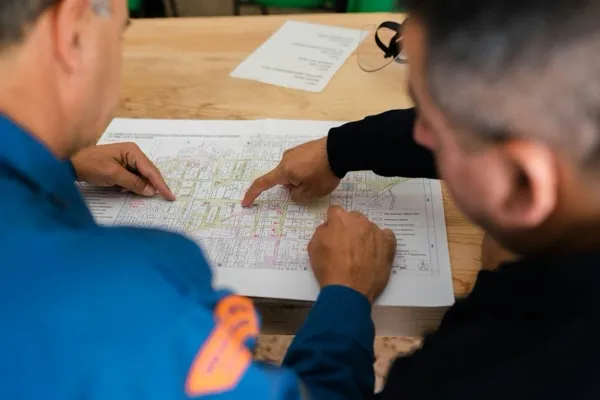

Closeout week. Your super is texting you about the flooring trade, the architect is on-site for the punch walk, and someone just forwarded you a punch list to review.
It's version 3. Your PM has version 2. The site lead built their own from scratch the day the architect showed up. Nobody knows which one is current.
A construction punch list is a document prepared near the end of a project listing work that doesn't conform to contract specifications— work the contractor must correct before final payment1. The punch list template Word document you downloaded contains exactly the right information. That's the problem it solves. The problem it doesn't solve is what happens when four people download four copies and three of them start editing.
The template is not the problem. The version is.
What You Get in a Word Punch List Template
A standard Word punch list template includes columns for item number, deficiency location, work description, responsible trade, priority level, due date, and completion status2. That's the right information. Any capable closeout document should track these things.
Smartsheet alone offers seven distinct template variations: general construction, simple form, remodel, new home, commercial construction, general contractor, and approval workflow2. Each captures the same core fields in a slightly different layout. So yes— the format delivers what it promises.
The standard fields in any Word or Excel punch list template:
- Item number
- Location details (building, floor, room)
- Work description / deficiency description
- Trade responsible
- Priority level
- Due date
- Status (open / resolved / verified)
These are the right columns. A Word punch list template contains exactly what you need to track. It provides nothing to coordinate who fixes it— or whether the version in your inbox is the one that governs.
Where the Word Template Breaks Down
A Word punch list template fails— not because the information is wrong, but because a static file can't coordinate people, push notifications, or hold a photo next to the deficiency it describes. Those gaps are manageable on a small job. On a larger one, they compound.
Most practitioners and software providers cite 1–2 subcontractors and fewer than approximately 50 items as the point where static documents are workable34. Beyond that threshold, five documented failure modes activate.
The five failure modes of a static punch list template:
- Version control: Multiple team members download separate copies, creating conflicting lists with unknown current status5. Nobody is certain which version governs.
- Photo integration: Static templates can't embed images, which forces separate photo management5. A deficiency with a photo in one folder and a line item in another is a coordination failure waiting to happen.
- Trade notification: Static documents don't alert responsible trades when items are assigned— someone must email each sub manually5. On a project with 10 trades, that's 10 separate threads to track.
- Formula fragility: Manual completion-percentage formulas break when rows are added or deleted5. Add three rows to the wrong spot and the summary at the top means nothing.
- Scale ceiling: Templates struggle handling hundreds of items across multiple trades4. Small tenant fit-outs average around 50 punch items; large commercial buildings can run into the hundreds4.
The pattern that emerges isn't about any single failure. It's about coordination— and coordination is fixable. As Fieldwire puts it: "Closeout delays stem primarily from process management rather than actual work volume."6
That's the reframe. The delay isn't because the drywall took longer. It's because nobody is certain what's been fixed, who fixed it, and whether the GC has documentation. And that's a solvable problem.
What Closeout Delay Actually Costs
Retainage— the 5–10% of each payment your clients withhold until the punch list clears— can equal or exceed your entire project profit margin7. Every extra week of closeout drag is a week of that money sitting idle.
Do the math on a $2 million commercial job. At 10% retainage, $200,000 is held until final completion. At 5% project margins, that's $100,000 in total profit. Your retainage hold is twice your margin. And it doesn't move until the punch list clears7.
On a $2M commercial job at 10% retainage: $200,000 held until closeout. At 5% margins: $100,000 project profit. Every extra week extends that hold— and it doesn't compound in your favor.
The hidden costs of technology projects are real, but the hidden cost of not investing in process is more concrete: it shows up in your receivables.
Timeline data reinforces the stakes. According to Levelset's 2025 Construction Payment Report (Levelset is a Procore company)8, the median time from substantial completion to final payment is 47 days for projects using manual punch list processes, compared to 23 days for projects using automated systems— a 24-day gap. Manual commercial closeout runs 4–6 weeks or longer6.
| Process | Median Closeout Timeline |
|---|---|
| Manual punch list (Word, paper) | 47 days |
| Automated / digital punch list | 23 days |
| Difference | 24 days |
Source: Levelset 2025 Construction Payment Report, cited by GoAudits.
The rework dimension adds to this. Construction Industry Institute research puts direct field rework at an average of 5% of total project value9. A 2018 FMI/PlanGrid study found $31 billion in annual U.S. rework tied to poor communication and documentation— 26% caused by miscommunication, 14–22% by bad documentation10. In practical terms: when the punch list doesn't say who owns a deficiency, it becomes a miscommunication. When the miscommunication goes uncorrected, it becomes rework.
You're chasing pennies when you could be chasing dollars. The cost of upgrading from a static template to a shared digital system is a fraction of one week's retainage hold.
Three Tiers— Match the Tool to the Job
The upgrade from a Word punch list template doesn't have to be Procore. Start with what your job complexity requires— and add only as much tool as the work demands.
According to Autodesk and Dodge Data & Analytics research8, 70% of general contractors already use software to manage punch list and closeout activities on at least a quarter of their projects. Digital closeout is the mainstream. The question is which tier fits your situation.
Tier 1— Structured Spreadsheet (Good for 2–5 subs, 50–150 items)
Google Sheets or Excel with locked formulas, shared links instead of downloaded copies, and a clear naming convention. One source of truth. This eliminates the version-control problem without any new software cost. The shared link is the critical move— as long as people are downloading and editing their own copies, you're back in version-conflict territory. For a small GC not ready to switch platforms, this is the right first step.
Tier 2— Purpose-Built Punch List Software (Right for 5+ subs, 150+ items, multi-project)
Procore, Fieldwire, Autodesk Build, SafetyCulture, GoAudits— each handles photo pinning to plan locations, automatic trade notifications, real-time updates, and offline use. This is construction workflow automation in its most practical form. The 47-day to 23-day closeout improvement cited above is what this tier produces. And at 70% GC adoption, it's not a specialty move— it's standard practice for firms running multiple concurrent projects.
Tier 3— AI-Enabled Closeout (Emerging for larger commercial operations, 2026+)
According to Autodesk's 2026 AI construction trends panel11, AI is already being used to organize punch lists, summarize RFIs, and flag schedule risks. The construction punch list software market is growing at approximately 6.9–9.2% CAGR, with AI-enabled automation as a primary driver12. The best AI tools for construction are moving fast, but this tier is most relevant for larger commercial GCs running multiple concurrent projects. For most firms, Tier 2 is the right landing zone today.
| Tier | Best For | Tools | What Changes |
|---|---|---|---|
| 1— Structured Spreadsheet | 2–5 subs, 50–150 items | Google Sheets, Excel (shared link) | Eliminates version-control problem |
| 2— Punch List Software | 5+ subs, 150+ items, multi-project | Procore, Fieldwire, Autodesk Build, SafetyCulture | Photos pinned to plans, auto notifications, single source of truth |
| 3— AI-Enabled Closeout | Large commercial, multi-project | Autodesk Build (AI features), emerging tools | Automated organization, schedule risk flags, RFI summaries |
The decision is made by your subcontractor count and item volume— not your budget or your aspirations. Start where you are. Add complexity only when the simpler option has been outgrown.
The Real Question— Do You Have a Closeout System?
The question is not "Word or software?" The question is: does your team have a closeout system— a defined process, a single source of truth, and clear ownership— or just a document?
Here's what I've seen in practice: most firms buy a download when what they need is a decision about who owns closeout. The format matters far less than whether someone is accountable for it. A firm with a real process in a shared spreadsheet will close faster than a firm with Procore and no process.
A template tells you what to track. A system tells you who tracks it, how, and what happens when something isn't resolved.
The system elements— regardless of what format they live in:
- One source of truth (not four downloaded copies)
- Defined trade ownership for each item
- Photo documentation attached to the deficiency
- An escalation protocol when items age past due date
- A final signoff workflow that signals substantial completion
These can live in a shared Google Sheet, in Fieldwire, or in a custom AI workflow. But they have to exist somewhere. As Fieldwire's research puts it, closeout delays stem from process management, not work volume6. The punch list format is interchangeable. The process is not.
If navigating that decision— which tier, which tools, and how to build the process your team will use— sounds like another full-time job on top of running projects, that's exactly where an AI implementation partner for construction firms earns its keep. A founder-led AI strategy conversation isn't about platforms. It's about identifying where your team loses time in closeout— and finding the specific pressure points where a better system closes that 24-day gap.
FAQ
What is a punch list template in Word?
A punch list template in Word is a pre-formatted document with columns for item number, location, deficiency description, responsible trade, priority, due date, and status2. Most commercial templates are one to two pages designed for tracking construction deficiencies before final payment. They contain the right information— the problem is coordination at scale, not the fields themselves.
What is the difference between a punch list and a snag list?
Same document, different regional term. "Punch list" is standard in the United States; "snag list" is used in the UK and Commonwealth countries1. Both refer to the pre-payment deficiency list a contractor must clear before final payment is issued.
How many items are on a typical commercial punch list?
Small tenant fit-outs average around 50 punch items. Large commercial buildings can have hundreds of deficiency items across multiple trades4. The 50-item threshold is also roughly the point where a static Word or Excel document starts creating coordination problems.
When should I use punch list software instead of Word?
When managing more than 2 subcontractors, tracking more than approximately 50 items, or running multiple concurrent projects35. Static documents create version-control and coordination failures at that scale. A shared spreadsheet is a workable middle step; purpose-built software is the right answer for anything beyond that.
Does the punch list affect retainage release?
Yes. Retainage— typically 5–10% of contract value— is withheld until the punch list clears and the project reaches final completion7. Every week of closeout delay extends the hold. On a $2 million commercial job at 10% retainage, that's $200,000 sitting outside your control until the list is cleared.
By Dan Cumberland
References
- Wikipedia contributors. "Punch list." Wikipedia, The Free Encyclopedia, accessed September 3, 2026— https://en.wikipedia.org/wiki/Punch_list
- Smartsheet. "Free Punch List Templates." Smartsheet Content Hub, 2025— https://www.smartsheet.com/free-punch-list-templates
- PunchPad. "Punch List App vs Spreadsheet: What's Actually Faster on the Jobsite." PunchPad Blog, 2025— https://www.punchpad.app/blog/punch-list-app-vs-spreadsheet-whats-actually-faster-on-the-jobsite
- Fieldwire. "Construction Punch List Software: Close Out Faster." Fieldwire Blog, 2025— https://www.fieldwire.com/blog/construction-management-software-punch-lists/
- Mastt. "Punch List Template (Word, Excel)." Mastt Resources, 2025— https://www.mastt.com/resources/punch-list-template
- Fieldwire. "Construction Punch List Software: Close Out Faster." Fieldwire Blog, 2025— https://www.fieldwire.com/blog/construction-management-software-punch-lists/
- Siteline. "A Complete Guide to Construction Retainage for Subcontractors." Siteline, 2025— https://www.siteline.com/blog/guide-to-construction-retainage
- GoAudits. "7 Best Punch List Apps & Software for Construction." GoAudits Blog, 2025— https://goaudits.com/blog/punch-list-app/ (citing Levelset 2025 Construction Payment Report and Autodesk/Dodge Data & Analytics)
- Openspace AI. "The Real Cost of Rework in Construction." Openspace, 2024— https://www.openspace.ai/blog/cost-of-rework-in-construction/ (citing Construction Industry Institute)
- Openspace AI. "The Real Cost of Rework in Construction." Openspace, 2024— https://www.openspace.ai/blog/cost-of-rework-in-construction/ (citing FMI/PlanGrid 2018 study)
- Autodesk. "2026 AI Construction Trends: 25+ Experts Share Insights." Autodesk Construction Blog, 2026— https://www.autodesk.com/blogs/construction/2026-ai-trends-25-experts-share-insights/
- Verified Market Research. "Construction Punch List Software Market Size, Analysis & Forecast." Verified Market Research, 2024— https://www.verifiedmarketresearch.com/product/construction-punch-list-software-market/